 OctoPress
 Click to View
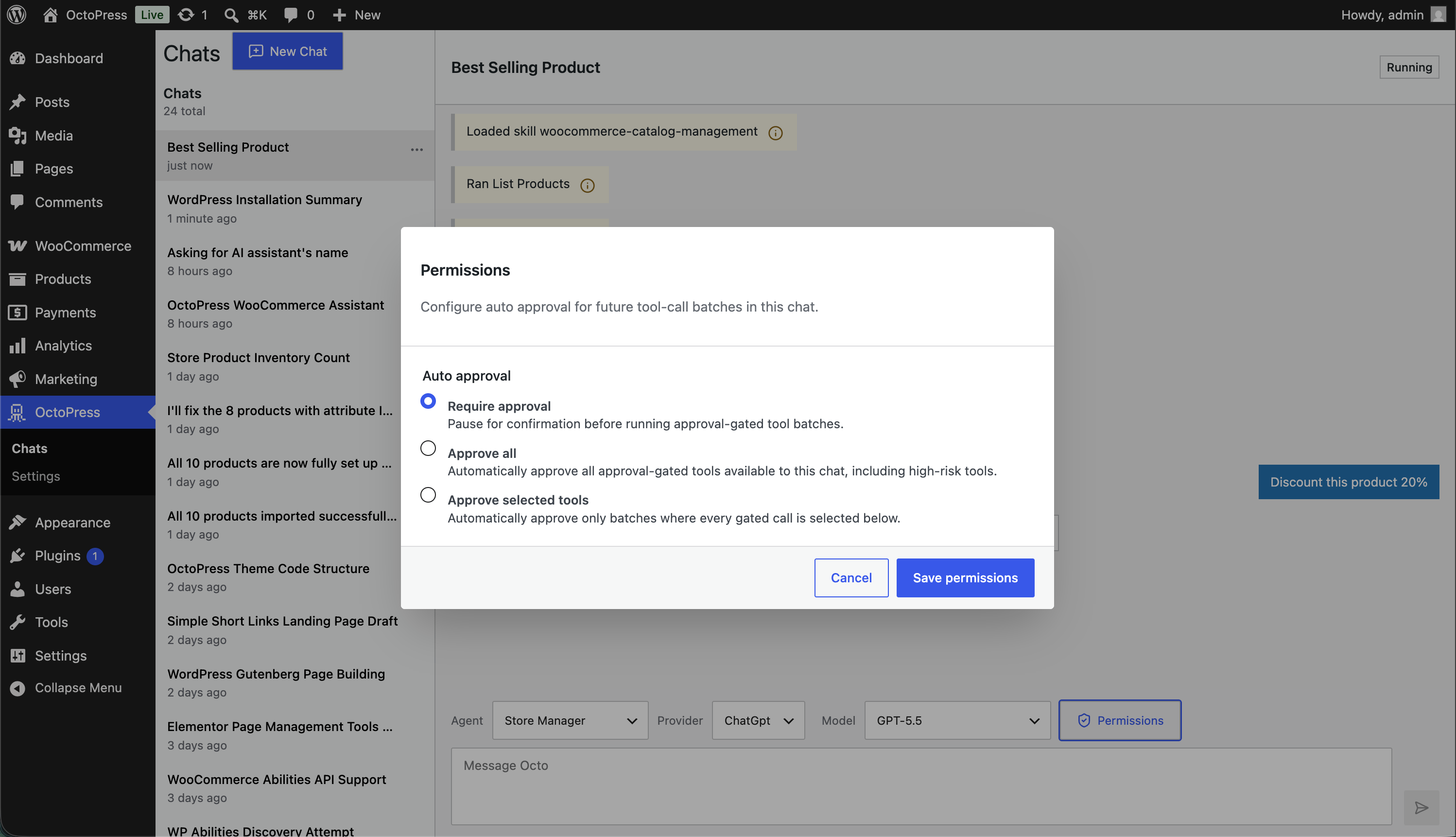
Approval gates
Review tool permission requests
Write and execute actions can pause for explicit approval before an agent changes your site.
OctoPress is an AI agent that writes content, optimizes SEO, develops plugins, and manages your WordPress site — so you can focus on growing your business.
OctoPress Pro unlocks SEO, WooCommerce, development, scheduling, and runtime workflows. Install Free to try the core workspace.
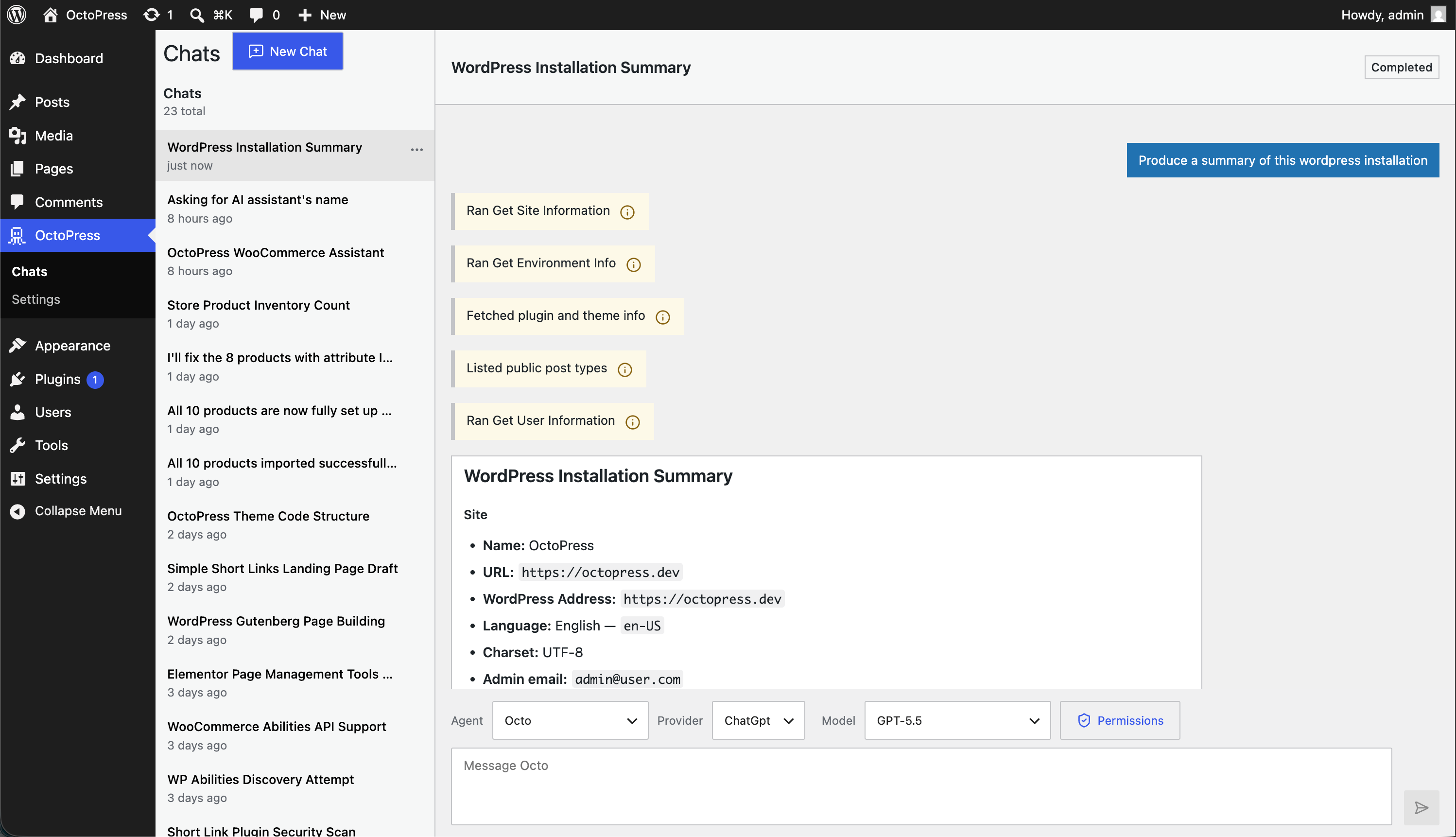
WordPress admin workspace
Keep agent conversations in WordPress admin, choose the right profile for the work, and route each run through the provider and model you trust.
 Click to View
Click to View
Click to View
Approval gates
Write and execute actions can pause for explicit approval before an agent changes your site.
 Click to View
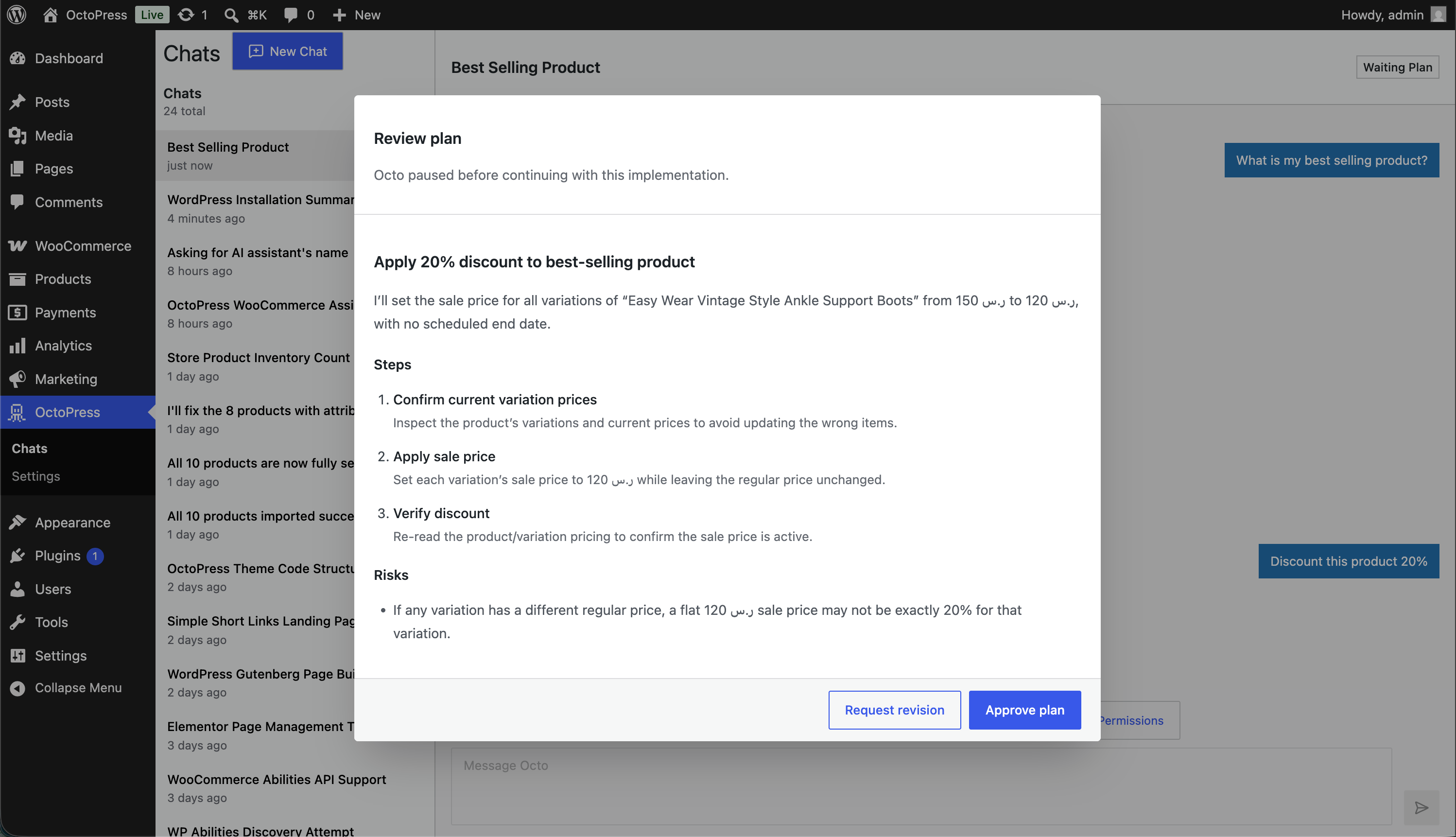
Plans before action
Agents can propose a plan and wait for your decision before continuing with multi-step work.
 Click to View
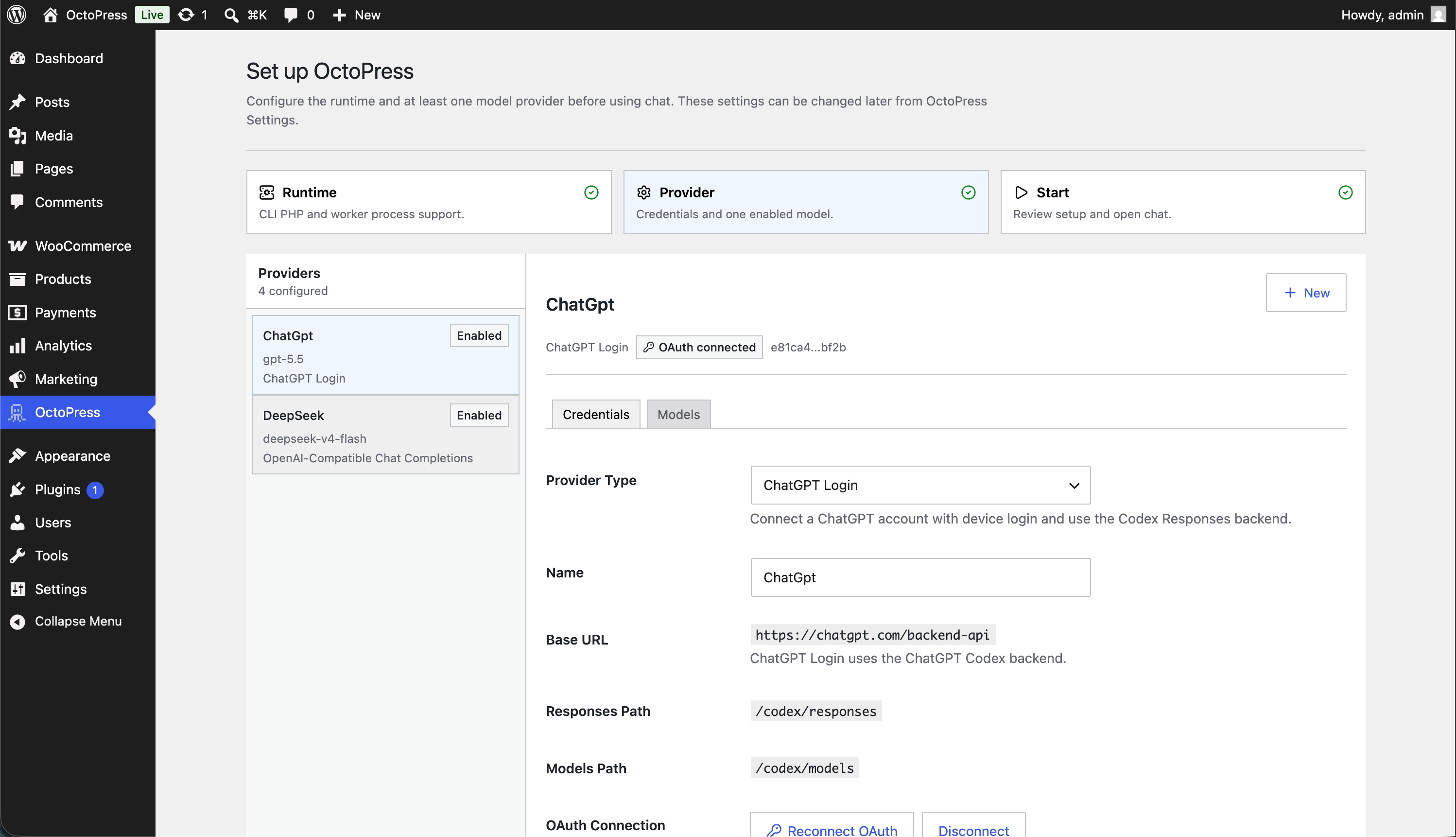
Provider setup
The onboarding flow helps admins connect a provider and get the workspace ready inside WordPress.
 Click to View
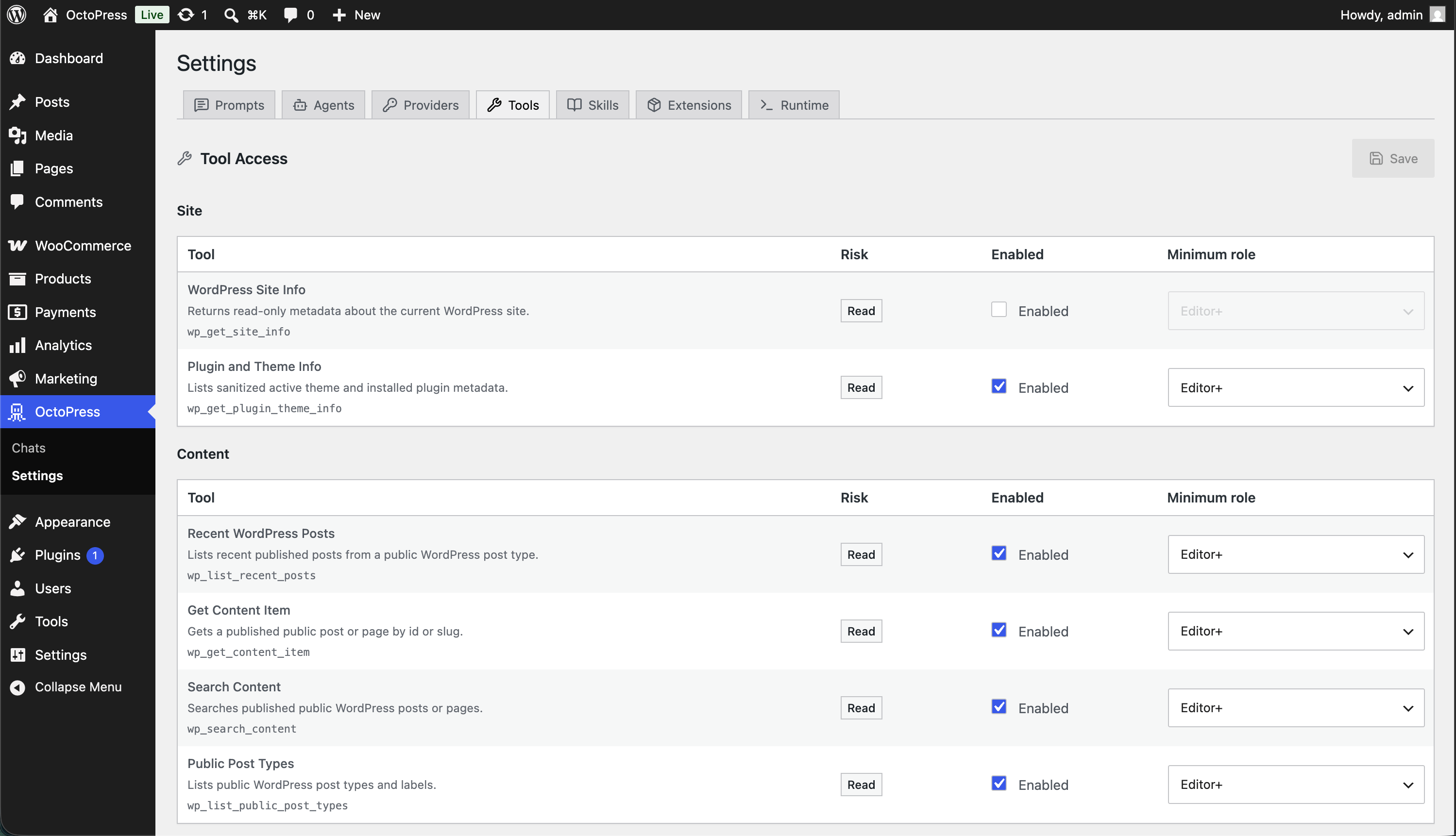
Tool governance
Tool settings group capabilities by policy so teams can keep site-changing actions intentional.
 Click to View
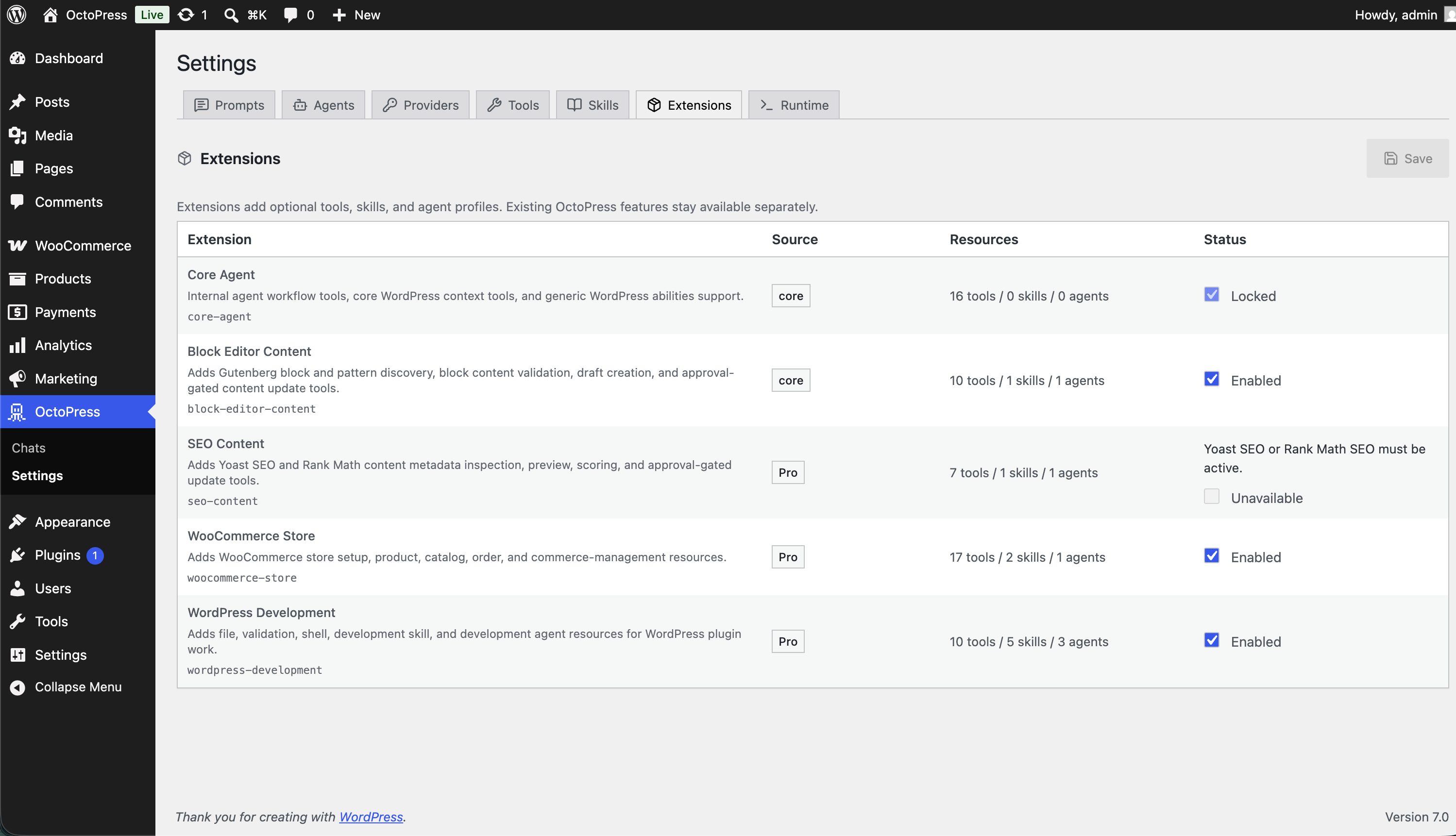
Feature bundles
Extension settings show how core and Pro workflows are grouped as the workspace grows.
Use ChatGPT sign-in or connect the API provider and model you already trust.
Pick Octo, Content Writer, or a Pro specialist for the WordPress work at hand.
Agents can pause for input, propose a plan, or request permission before changing the site.
Approve draft, update, metadata, development, or automation work only when it is ready.
Free/Core
Start with provider setup, saved chats, agent profiles, content tools, image-aware conversations, and approval controls inside WordPress.
Connect ChatGPT sign-in or API providers, sync models, enable the models you want, and choose defaults for the workspace.
Keep message history, retry failed turns, and switch agent, provider, or model without leaving the WordPress dashboard.
Start with built-in agent profiles for general site work and block editor content workflows.
Agents can ask for clarification, propose plans, hand off work, and pause before approval-gated changes.
Inspect posts, pages, blocks, patterns, theme style variations, and draft or update content with approval controls.
Attach images for compatible vision models and save selected chat images into the WordPress Media Library.
Pro
Pro adds focused agents and tools for SEO metadata, WooCommerce, development, scheduled automation, runtime configuration, and supported hosted tools.
Inspect and update Yoast SEO or Rank Math metadata with previews, scoring, and bulk update support.
Inspect store setup, payment methods, shipping, tax settings, catalog taxonomies, products, and orders.
Use Pro agents with file tools, PHP linting, npm checks, command execution, and WordPress-loaded snippets.
Create administrator-approved PHP schedules through WordPress cron, with recurrence, pause/resume, run-now, and history.
Configure PHP, Node, npm, and Composer binaries for deeper development workflows on supported hosts.
Use OpenAI hosted web access and image generation where the connected OpenAI account and model support them.
Trust and Control
Bring your own provider, keep workspace data in WordPress, store secrets server-side, and require approval for meaningful site changes.
OctoPress connects to the AI provider you choose instead of locking the workspace to one bundled model account.
Settings, chats, runs, agents, tools, skills, and extension configuration live in the WordPress database.
Provider configuration and encrypted secrets are handled in WordPress admin, not in a browser-only client.
Write and execute tools can require approval so users stay in control of meaningful site operations.
Choose the number of WordPress sites you manage. Every paid plan includes the same Pro workflows.
OctoPress Pro launch pricing is live
Annual plans are priced by site count, and every paid plan includes the full Pro feature set.
For creators who want the AI agent running on autopilot.
Manage AI across every client site from one place.
For larger agencies managing a large client portfolio
All paid plans include Pro updates and support during an active subscription.
Choose the annual site-count plan that fits your WordPress portfolio, then continue through the Pro action path.
Want new features and updates in your inbox?